
Space-Configurator
Configure rooomSpaces virtual environments with the Space Configurator. Easy form-based interface for customizing 3D spaces and interactive elements.
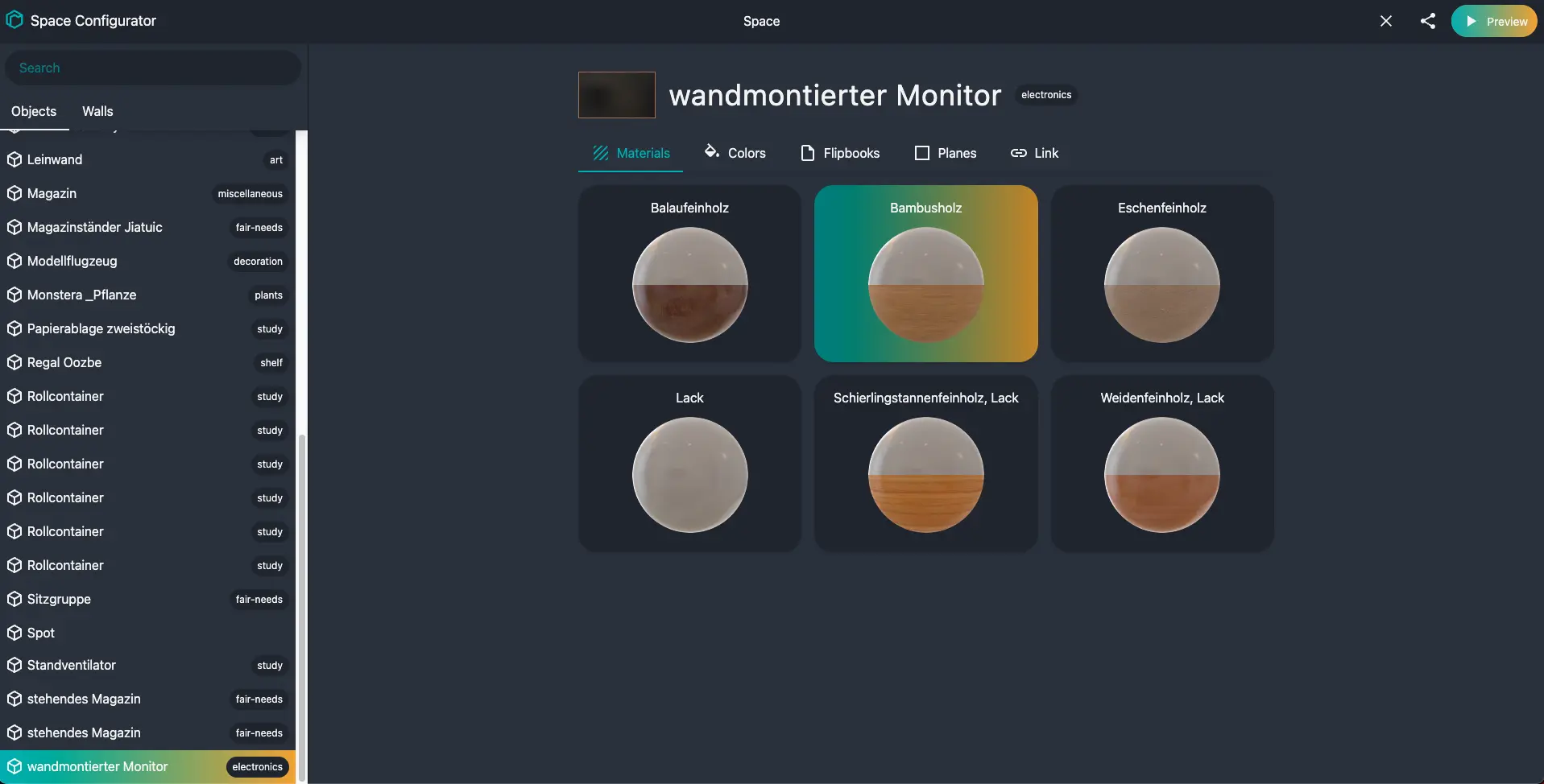
The Space Configurator is a powerful visual tool that simplifies the process of customizing and configuring your rooomSpaces virtual environments. Instead of manually editing configuration files or writing code, you can use this intuitive form-based interface to set up your 3D spaces, customize interactive elements, and manage space settings efficiently.
What is the Space Configurator?
The Space Configurator provides a user-friendly interface for managing all aspects of your virtual spaces. Whether you're creating a virtual showroom, an interactive exhibition, or a collaborative workspace, this tool streamlines the configuration process and makes it accessible to both developers and non-technical users.
Key Features
- Visual Configuration: Configure space settings through an intuitive form-based interface
- Real-time Preview: See changes to your space configuration immediately
Getting Started
Access the Space Configurator at: configurator.spaces.rooom.com
Basic Workflow
- Select Your Space: Choose the virtual space you want to configure
- Customize Settings: Use the form interface to adjust space properties
- Preview Changes: Test your configuration in real-time
Common Use Cases
- Virtual Showrooms: Configure product displays and navigation paths
- Event Spaces: Set up interactive areas for virtual conferences and exhibitions
- Real Estate Tours: Customize property viewing experiences with information hotspots
- Training Environments: Create interactive learning spaces with guided navigation
Next Steps
- Explore the Space-Viewer documentation to embed your configured spaces
- Learn about the rooomSpaces API for programmatic control
- Check out interactive demos for configuration examples
- Contact support if you need assistance with advanced configurations